Attack Phase Flags and Scenarios
Tip
Understanding the contents of this page is critical to properly securing your design. If something is unclear, please reach out to the organizers on Zulip to clarify.
Scenario
ChipCorp has also contracted your team to perform a red team assessment against several candidate designs for their permissioned file storage and transfer system. In order to evaluate different designs for adherence to the Security Requirements they created a scenario that accurately reflects their threat model. It has three components: the Technician HSM, the Engineer HSM, and the Photolithography HSM.
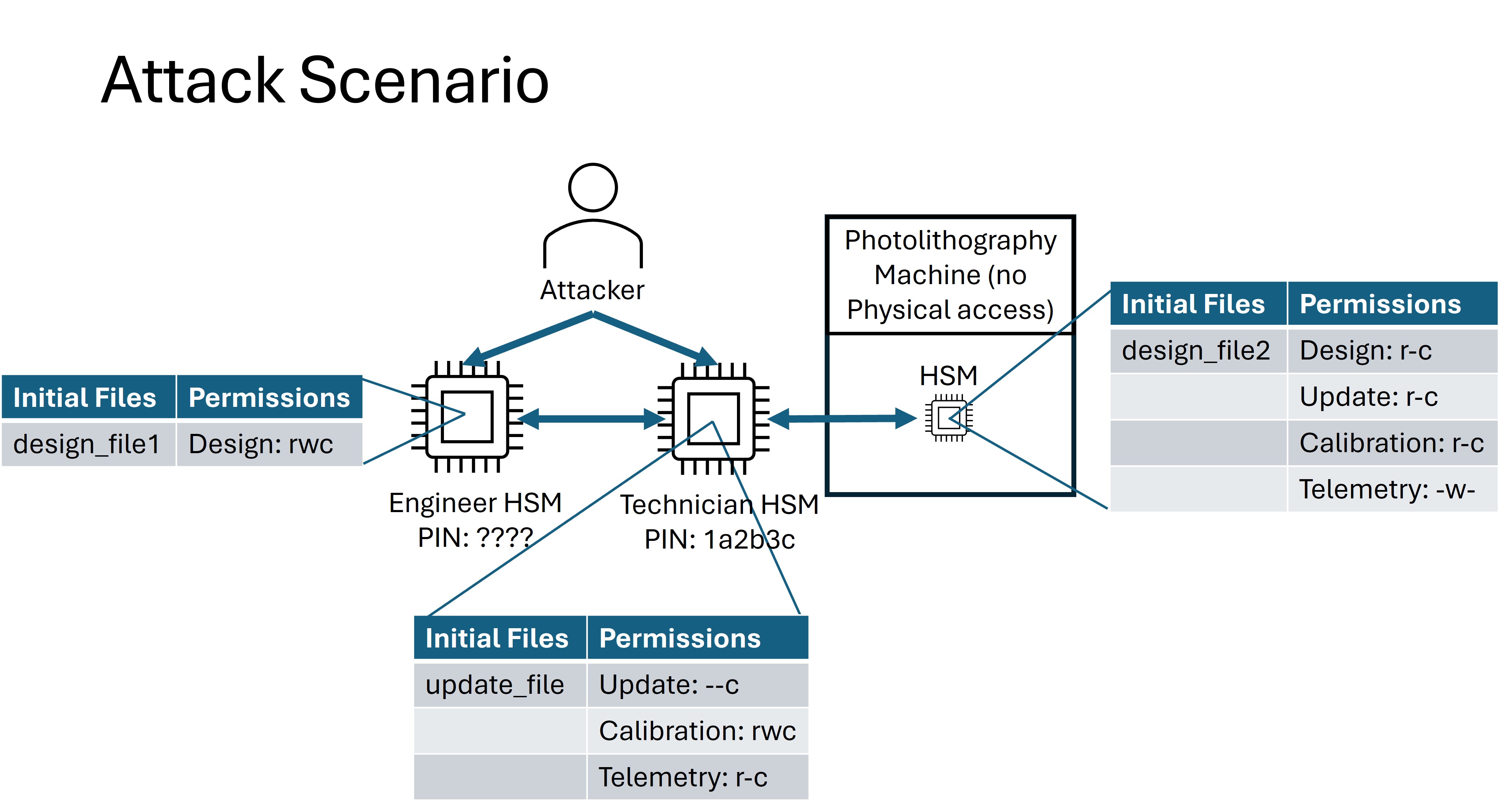
Attack Scenario
Each of the names under the “permissions” columns represent a category of file type. Each of these categories will be distinguished via a unique group ID. E.g., both the Engineer and the Photolithography Machine have different Permission Groups for files in the design group.
Technician: The Technician is responsible for transferring firmware update files to, pulling telemetry data from, and updating the calibration configuration on the Photolithography machine. The Technician does not have the permission to receive, write, or read design files. The attacker will know the pin for this device and will have complete physical access to it.
Engineer: The Engineer is responsible for creating design files that will be sent to the Photolithography machine for printing. The Engineer’s HSM has the permission to read, write, and receive files in the design group. The attacker will not know the pin to this device, but will have unrestricted physical access to it.
Photolithography Machine: The Photolithography Machine is responsible for fabricating the chips based on the design files from the Engineer. It also can receive firmware updates and calibration data from the Technician, and create telemetry data to be received by the technician. The attacker will not know the pin to this device and will only have access to the transfer interface via the Remote Scenario.
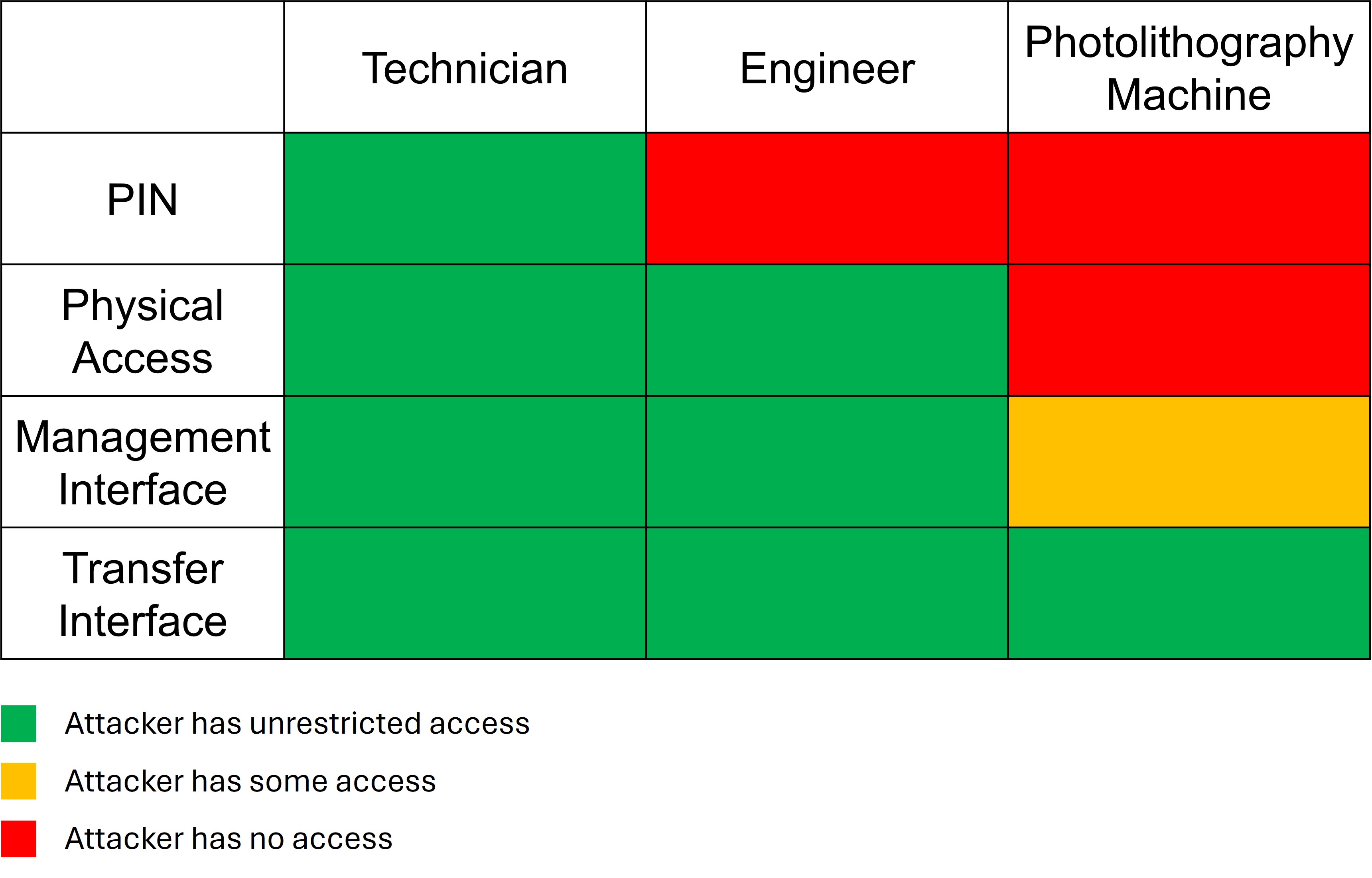
Attacker Initial Access
In this imaginary scenario, a rival entity has paid a technician to cause financial harm to ChipCorp. This is an insider threat. As the red team, you will act as the rogue technician. With valid access to your own HSM and its permissions, you will seek to attack the Engineer and Photolithography HSMs.
There is one attack phase flag associated with each of the five below attack scenarios. They are designed to test whether the Security Requirements are upheld by the design and capturing a flag is how the attacker can demonstrate that a security requirement was violated. [1]
Steal Design
For the Steal Design flag, your goal is to obtain design files from the engineer that you are not supposed to have. The flag will be provided when you can Receive a design file from either the Engineer HSM or the Photolithography HSM to the attacker (technician) HSM for which you do not have the receive permission.
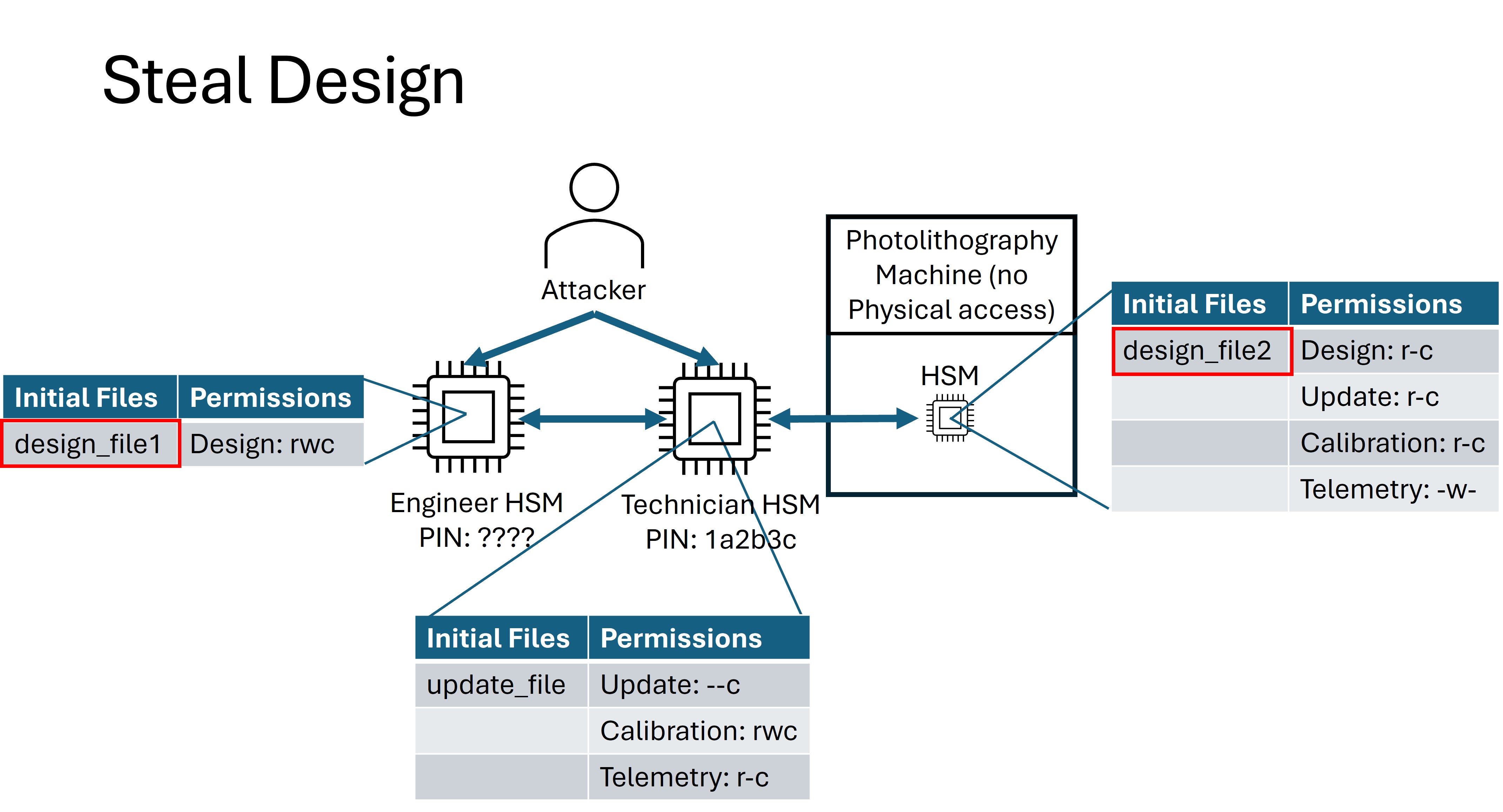
How to Obtain the Steal Design Flag
This flag is a bit nonstandard because you will perform the attack locally, but you will need the remote infrastructure to obtain the flag. You can, at any time, query the secure bootloader (note: not the insecure bootloader) for a cryptographic digest of any file on the HSM.
$ uvx ectf hw COM10 digest 0
Requesting digest
Submit the following to the API:
    ec11607bcc1e01b698d923c01e01b6c716e36142f646e00938ee8b358865ed21039ee28fe0ff71330ed70f6a5be788dd7df6263e9bdd385903a857e230032ad5
Once you successfully get one of the two existing design files onto the Technician HSM, submit its digest to the testing API using the correct API endpoint.
Read Update
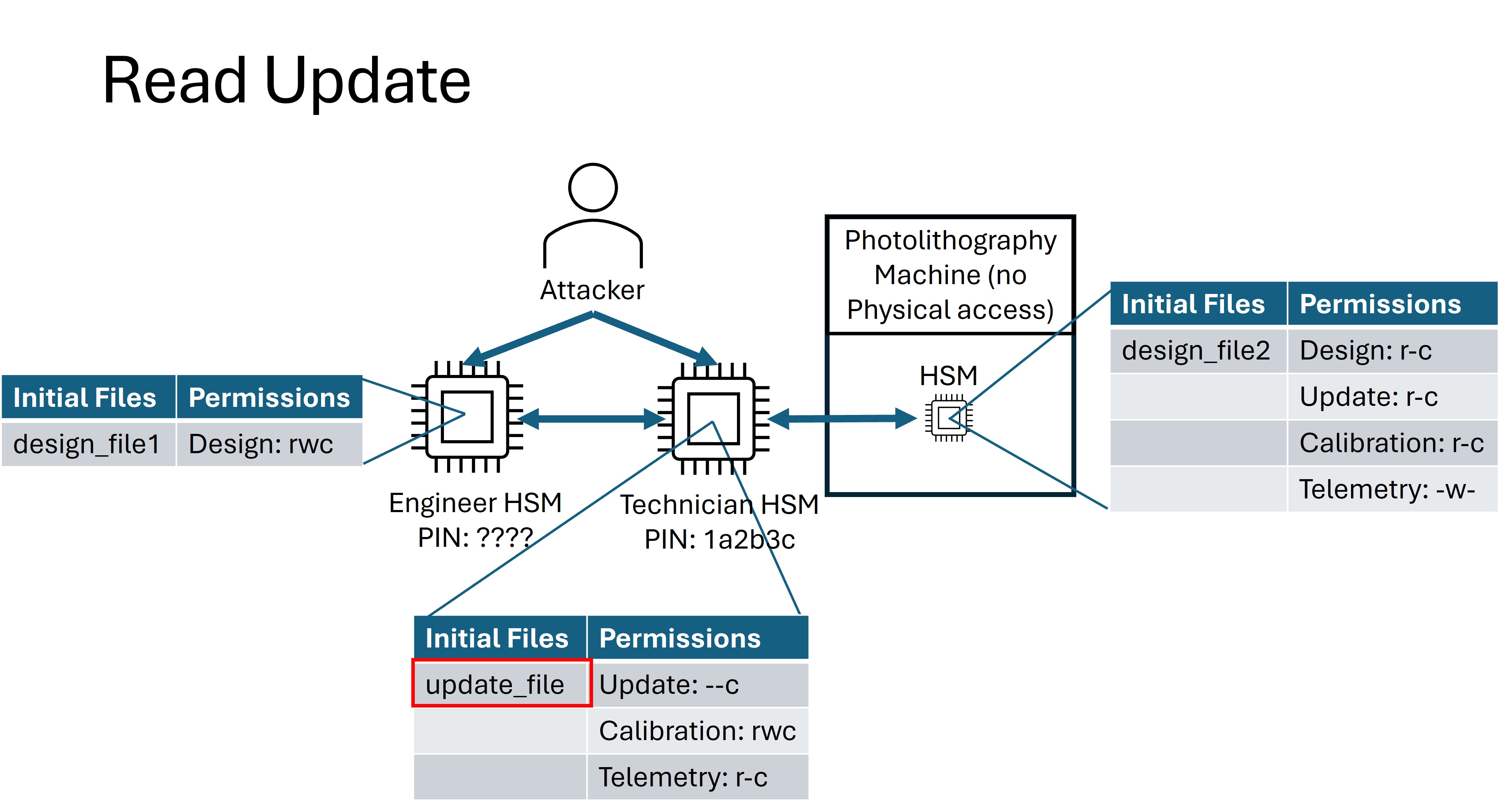
For the Read Update flag, your goal is to extract firmware update files to learn how the Photolithography machine works. The attacker (technician) HSM has a proprietary update file stored on it for which it has no read permission. If this file can be read, it contains the flag.
Read Design
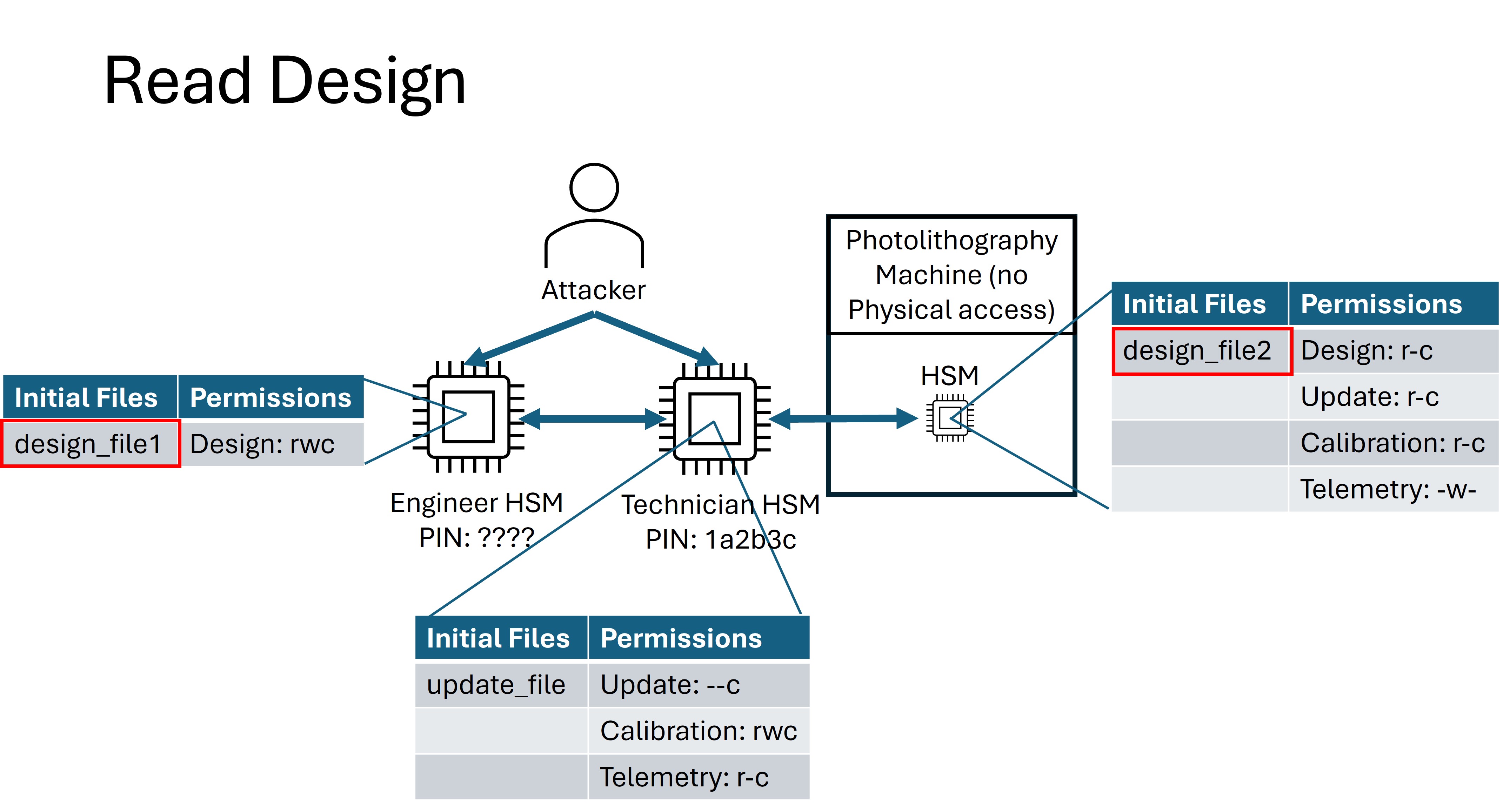
For the Read Design flag, your goal is to recover proprietary chip design data. Both the Engineer HSM and the Photolithography HSM contain a design file for which the Technician HSM does not have the read permission. The contents of both files contain the flag.
Compromise Machine
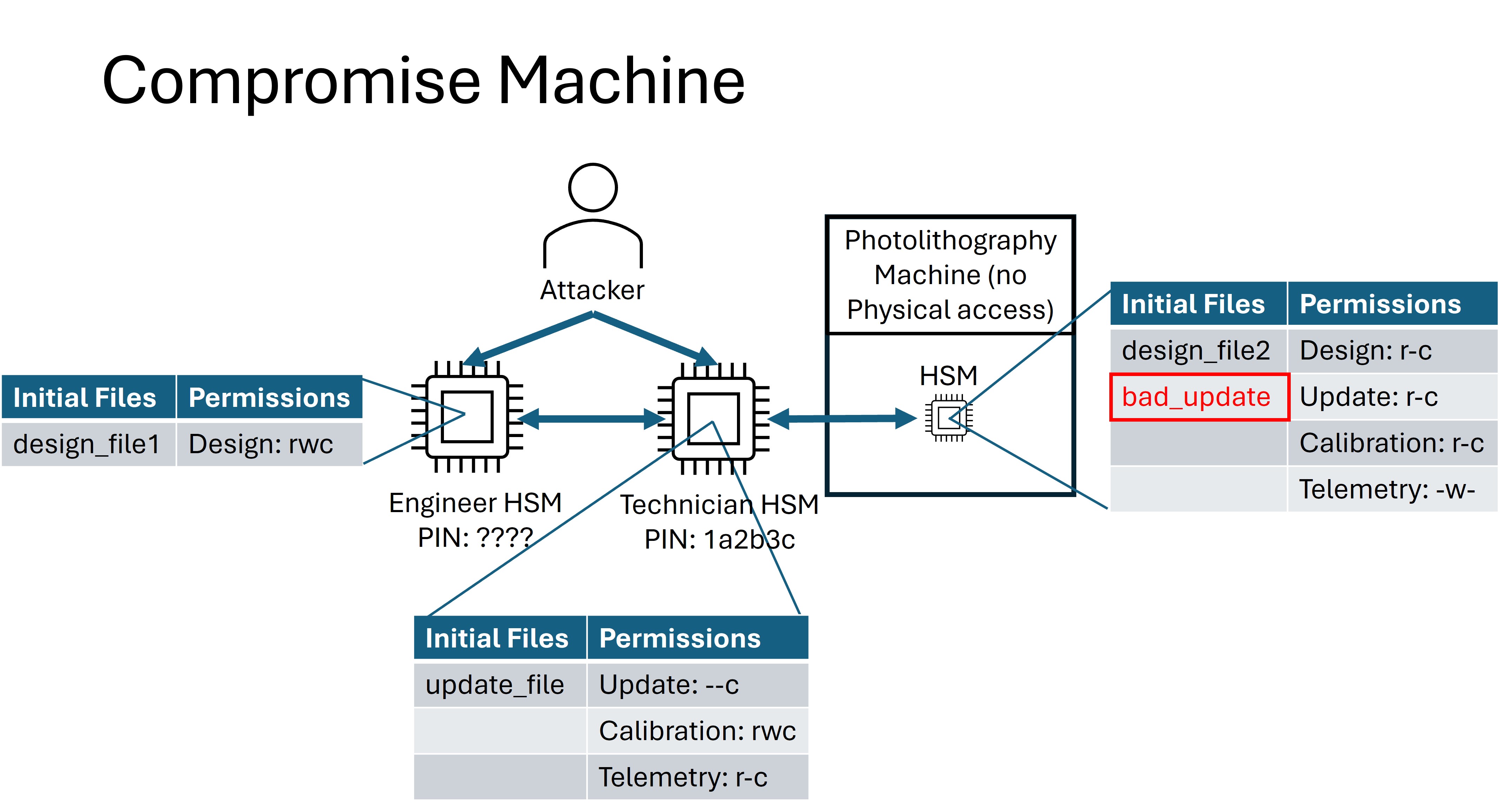
For the Compromise Machine flag, your goal is to break the Photolithography Machine by pushing a bad firmware update, resulting maintenance costs or worse: permanent damage. An update must be uploaded to the Photolithography Machine that has been corrupted. The Photolithography Machine must accept this file as valid, and a flag will be provided. The contents of the uploaded file do not matter as long as it does not match the update file in the attack scenario.
Backdoored Design
For the Backdoored Design flag, your goal is to insert malicious data into the fabrication process. An arbitrary design file must be uploaded to the Photolithography Machine. If the Photolithography Machine accepts this file as valid and it contains the predetermined “back door”, a flag will be provided.
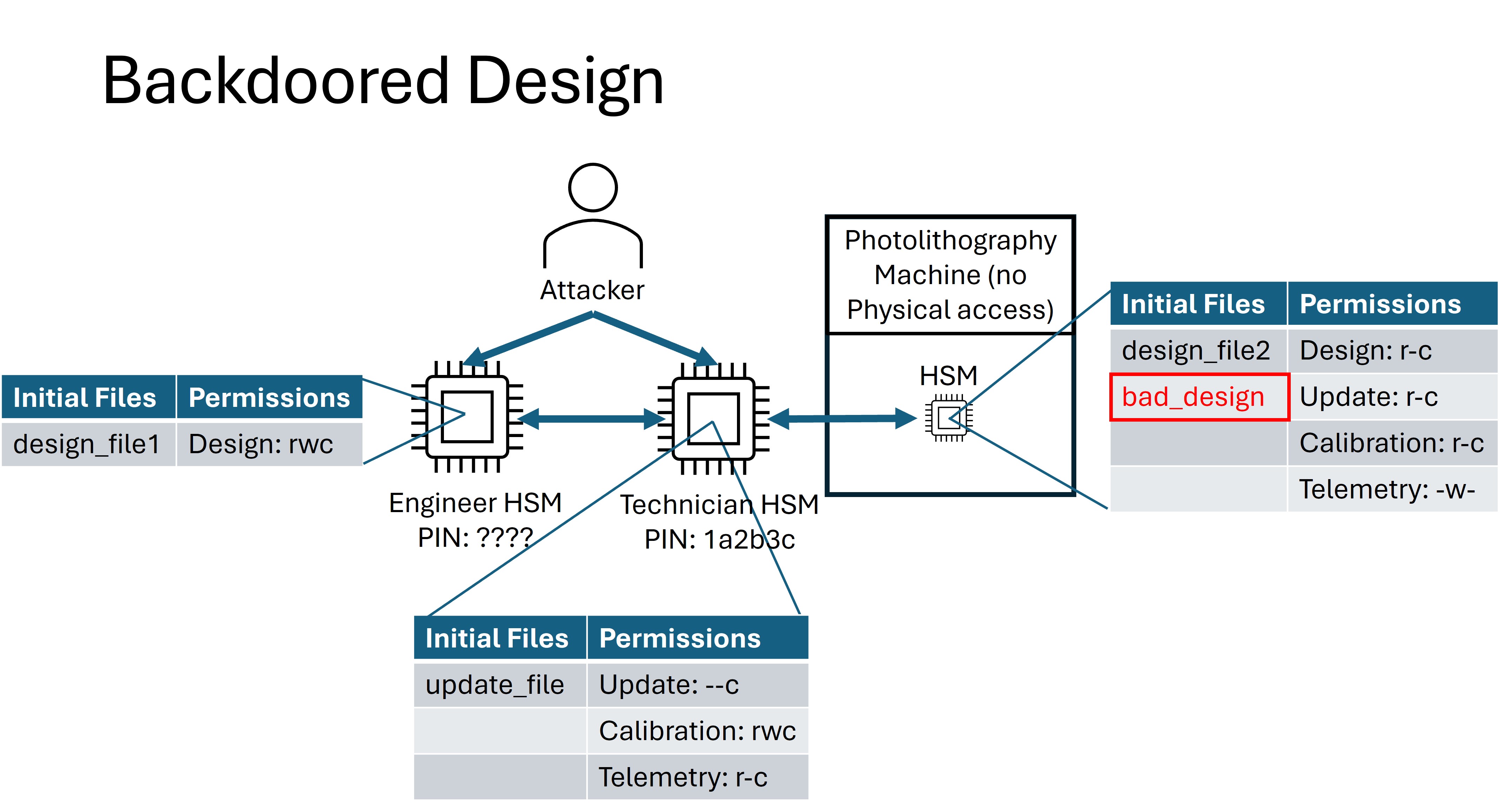
This is the file your team will need to make the PLM receive for this flag
Attack Phase Flags
During the Attack Phase, teams will test the security of other teams’ designs by attempting to capture Attack Phase Flags. Each flag represents proof of an attacker’s ability to compromise one or more security requirements of a design.
Flag |
Format |
Description |
|---|---|---|
Steal Design |
|
Receive a file for which you do not have the receive permission |
Read Update |
|
Read a file on your HSM for which you do not have the read permission |
Read Design |
|
Read a design file from a device that you don’t have the PIN for |
Compromise Machine |
|
Cause the remote HSM to accept a corrupted update file |
Backdoored Design |
|
Cause the remote HSM to accept a specially-crafted backdoored design |