eCTF Bootloader
Insecure Bootloader
The MITRE eCTF insecure bootloader is an unprotected version of the eCTF bootloader.
This bootloader allows for the development of binaries that are compatible with the protected version of the eCTF bootloader before entering into the attack phase.
The Reference Design only works with the MITRE eCTF bootloader, and you should utilize this bootloader to develop your design.
Note
The Design Phase MSP-LITO-L2228 boards provided by MITRE DO NOT INCLUDE the eCTF insecure bootloader by default. Please download and flash this bootloader as specified below.
Download and Installation
Download the MITRE eCTF insecure bootloader here: insecure.out.
Download the MITRE eCTF insecure bootloader for LaunchPad boards here: launchpad.out.
Note
If you don’t know which bootloader to download, use the first one. The LaunchPad bootloader uses S1 (PA18) as the bootloader button and the LED should be blue.
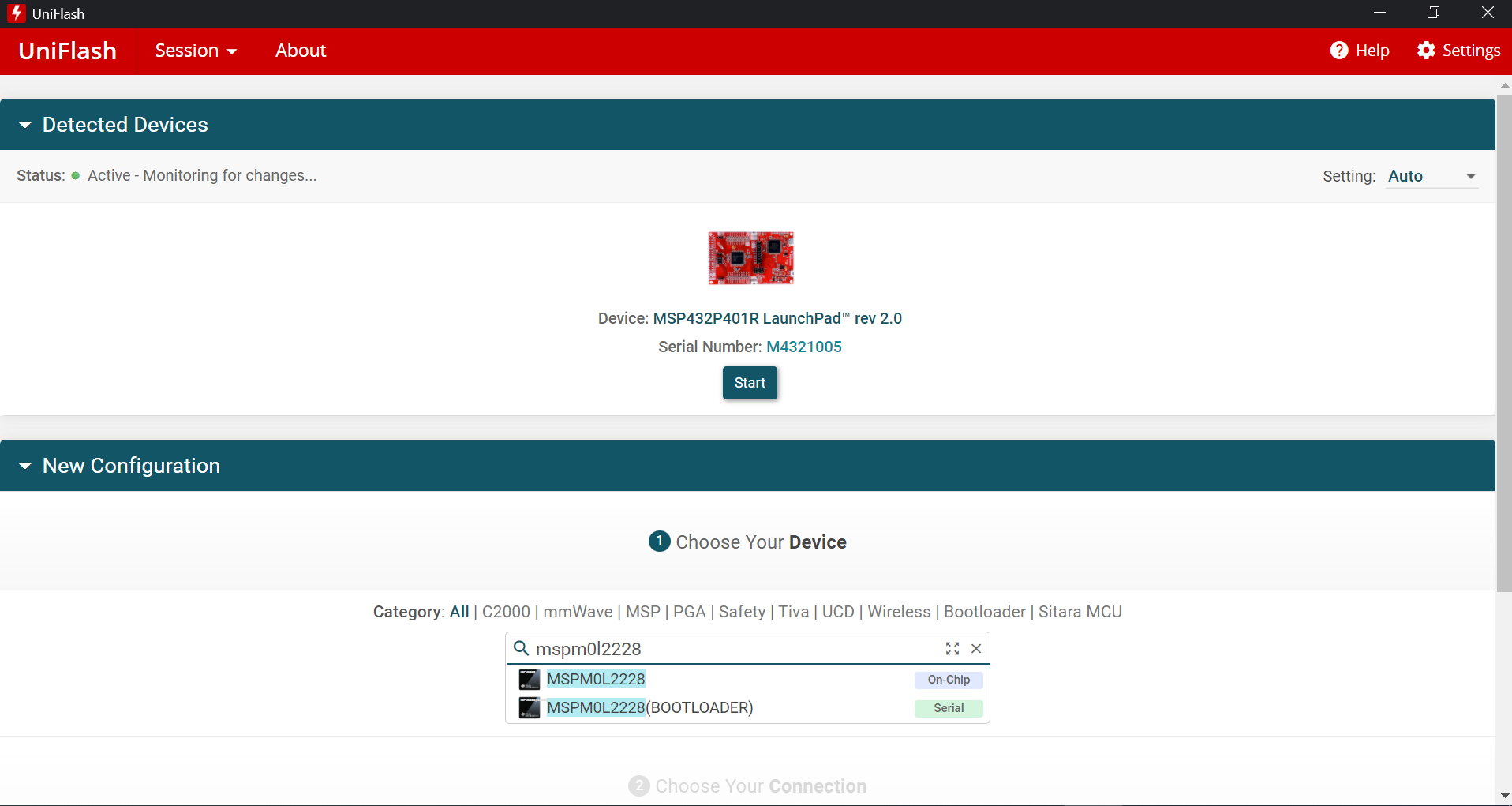
To flash the insecure bootloader, you will need to use TI’s flash programming tool, Uniflash. After you have installed and launched Uniflash, select “MSPM0L2228” from the first search bar labeled “Choose Your Device” under “New Configuration.”
Next, select “Texas Instruments XDS110 USB Debug Probe” under the 2nd search bar labeled “Choose Your Connection”
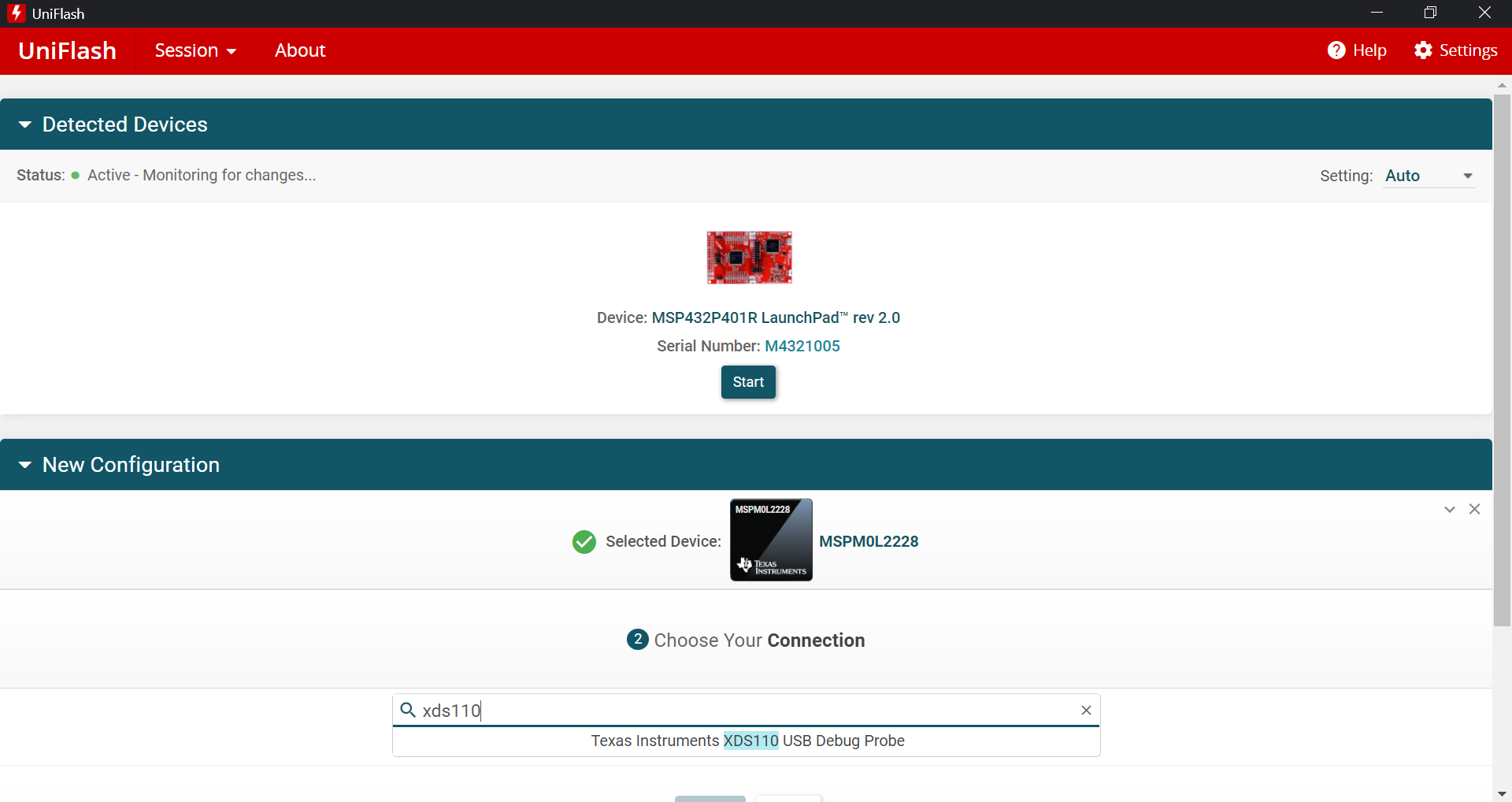
Finally, click the “Start” button to start the connection.
Warning
Uniflash may autodetect a LaunchPad device. If this is not the MSPM0L2228, you should ignore it and perform the manual configuration described here.
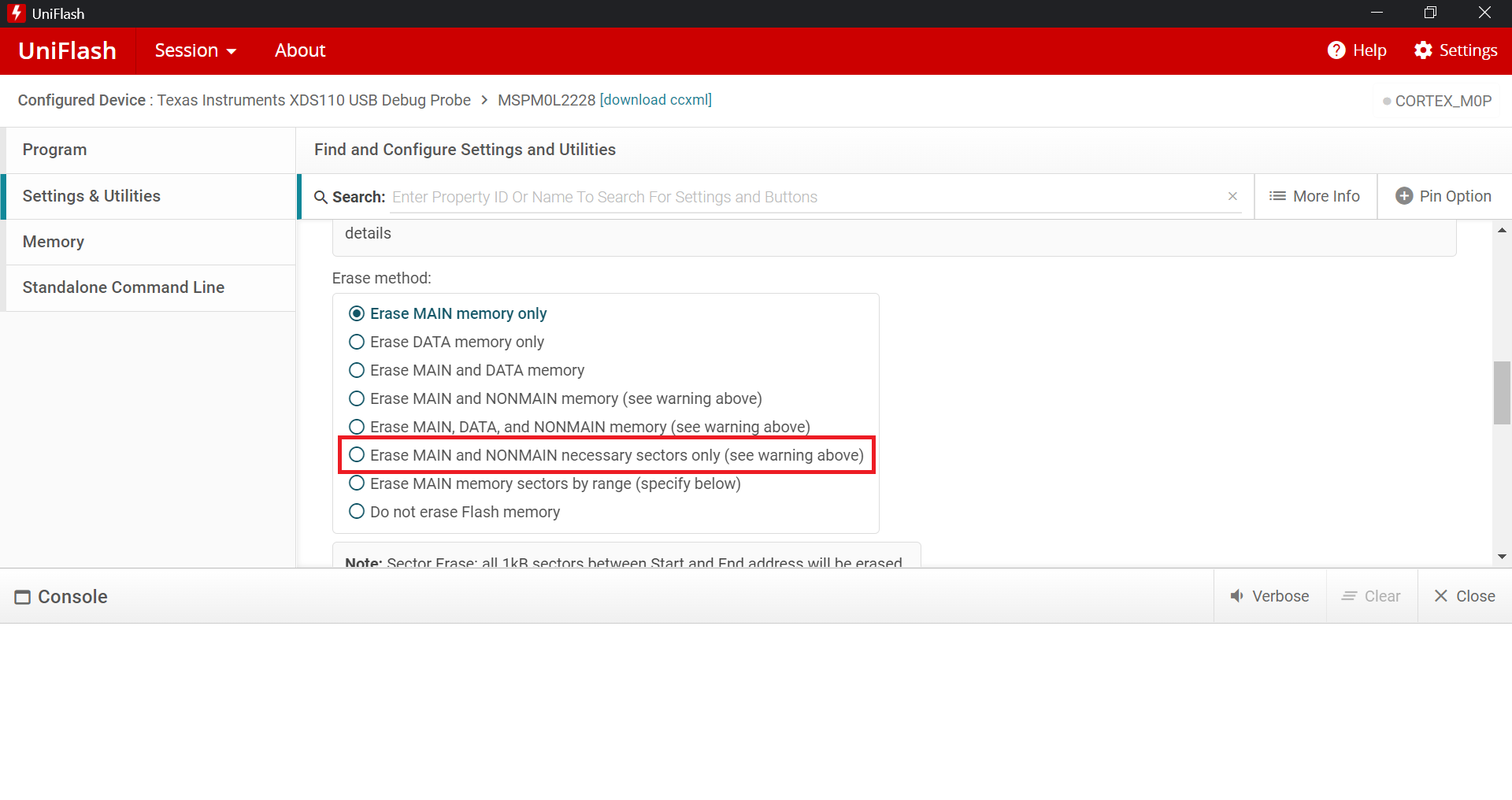
On the “Program” menu, under “Flash Image(s)”, click the Browse button and browse to the downloaded insecure.out file previously downloaded. Then click on the “Settings & Utilities” menu and select “Erase MAIN and NONMAIN necessary sectors only (see warning above)” as highlighted in red in the below image.
Finally, return to the “Program” section via the left menu and click “Load Image.”
Usage
The MITRE eCTF insecure bootloader consists of two modes, update and running. When in updating mode, the onboard LED, D1 (PB14), on the MSP-LITO-L2228 will flash red. This mode can be entered by resetting the board while holding down S2 (PB21).
When in update mode, new firmware can be flashed through the eCTF flash tool as described in BL Flash Tool. The interactions with the eCTF bootloader are described in eCTF Bootloader Tools.
File Digests
File digests are a cryptographic proof of ownership of a file. That is, the organizers can parse a file digest to determine which HSM image it came from and which file it is for. This is purely for the Steal Design during the attack phase. You can use the BL Digest Tool to query the bootloader for specific digests to prove that you have successfully stolen a file.
Since this system is part of the bootloader and part of the scoring system, it is considered eCTF infrastructure and is therefore out of scope for attack.
Secure Bootloader
Your team’s Attack Boards come pre-installed with a version of the eCTF bootloader that is keyed and implements several security features. This board can be used to load encrypted firmware images (.prot files) during the Attack Phase. It functions as a CSC and issues INITDONE. It’s important to understand from the documentation how this may impact the hardware security features that your team may utilize.
Warning
The secure bootloaders can be factory reset using Uniflash. However, you should NOT do this until after the competition ends. Once an attack phase bootloader has been cleared, you can’t get it back.